
wake
Capture sound. Skip the silence.
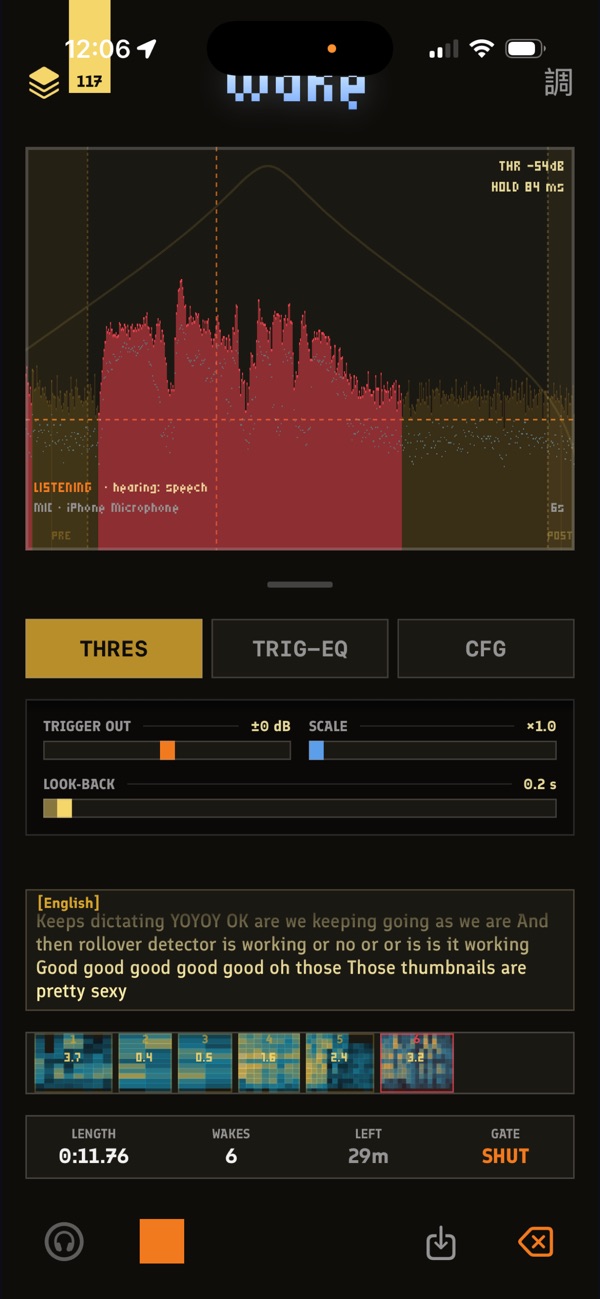
Set a threshold, arm it, walk away. It listens the whole time and only records when sound crosses the line — you come back to the moments you wanted.
What it is
- A gate, not a tape: it records the moments sound actually happened, so a night of listening is a handful of wakes instead of eight silent hours.
- The display shades what would be captured before you ever hit record — you can see your threshold is right without testing it.
- Pre-roll and look-back reach BACKWARD from the trigger, so a wake never starts with the sound already in progress.
- Every wake is sealed: a tamper-evident audit chain hashes the audio and can stamp where it was captured.
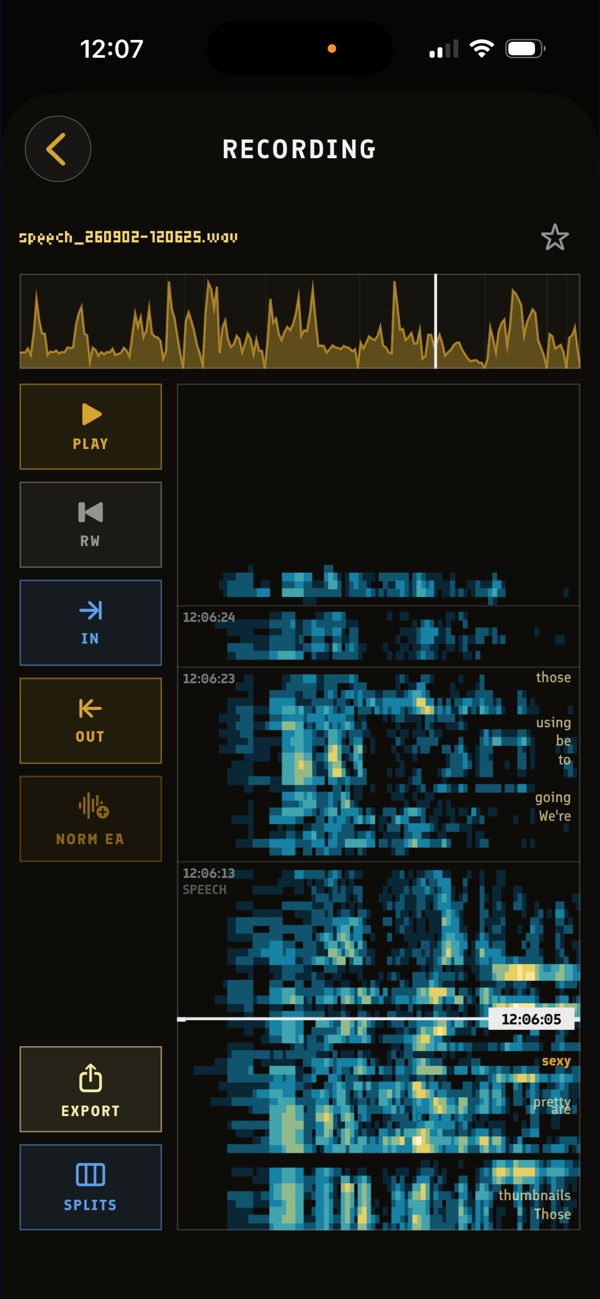
- Live dictation crawls under the display and rides the wakes as captions.
- Plug in a field recorder, point wake at the folder, and it culls the silence and imports only the moments.
- On the Mac, OVERDUB: whatever the library plays goes into the take as you record, lined up with what you played along to. Only the mic opens the gate, and a LIBRARY fader sets its level.
The gate
- Threshold and hold — how loud, and how long it stays open after.
- Trigger EQ — a 12-pole high/low cut plus a focus band that decides what the gate listens to. A bird call can open it while a truck doesn't.
- Pre-roll and post-roll — how much either side of the sound rides along.
- Look-back — reaches back before the trigger, and joins two wakes into one when the gap is shorter than the window.
Export for socials
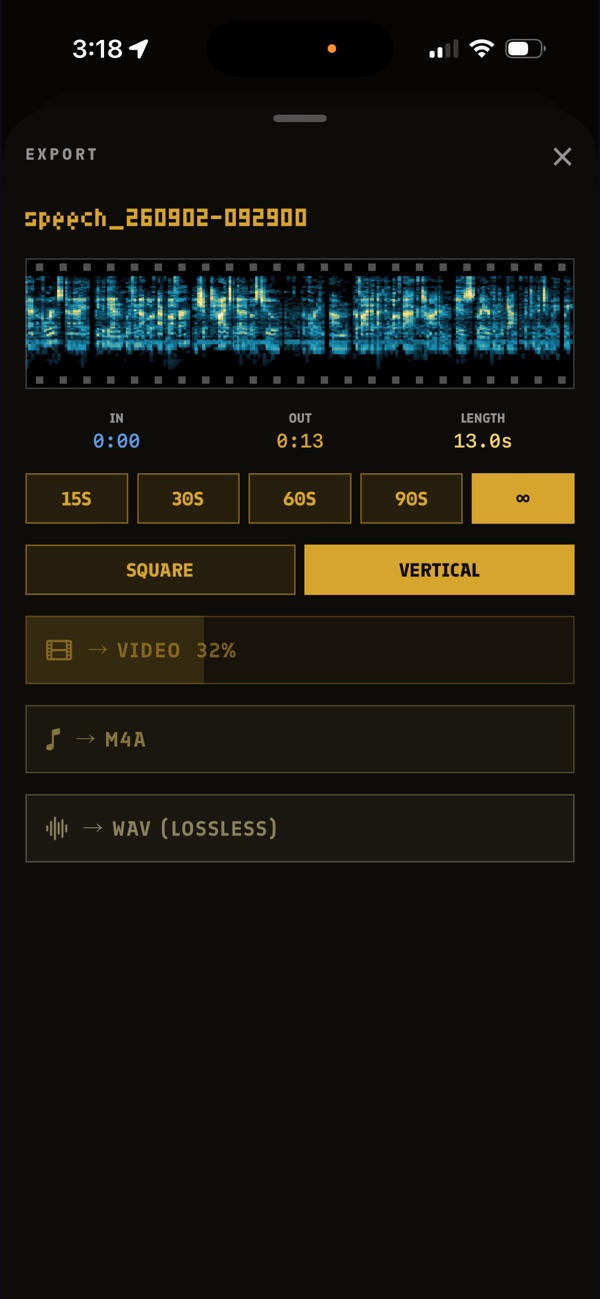
Open a wake and hit EXPORT VIDEO: its spectrogram sweeps under a playhead, the wake's name up top, waveloop:wake stamped in the corner. Square for feeds, or the whole tape as a 9:16 reel with capture times, classification and location riding it.
Free on Windows
The recorder on your PC: the gate, the trigger EQ, the tape, and a library of sessions you can pick back up and keep adding to. The audit chain, dictation, field-recorder import and video export are on the Mac for now.
Windows 10 or 11, 64-bit. No installer, no account, nothing to uninstall: unzip it anywhere and double-click wake.exe.
“Windows protected your PC”?
The first time, Windows SmartScreen may stop it. The app isn't signed with a paid code-signing certificate yet, so Windows doesn't recognise the publisher. Click More info, then Run anyway. You only do this once.
To check you have the file we published first, open PowerShell in the unzipped folder and run Get-FileHash .\wake.exe. It should print:
02072b05f61163d38b05b99d44a03d5daa667e0eee877f50a9636b8c468cd4ccThe zip itself:
9f9229353c0f19223f2bafdfc6365952a36538413e9ff00346b588524c0ad8beSettings live in %APPDATA%\WaveLoop and audio in your Music folder, so the app can run from anywhere, even straight out of the zip. It has no network code at all.
Privacy
Recordings live on your device — on iPhone and iPad, in your own iCloud Drive too. No accounts, no telemetry. Classification runs on-device; speech recognition is Apple's.